
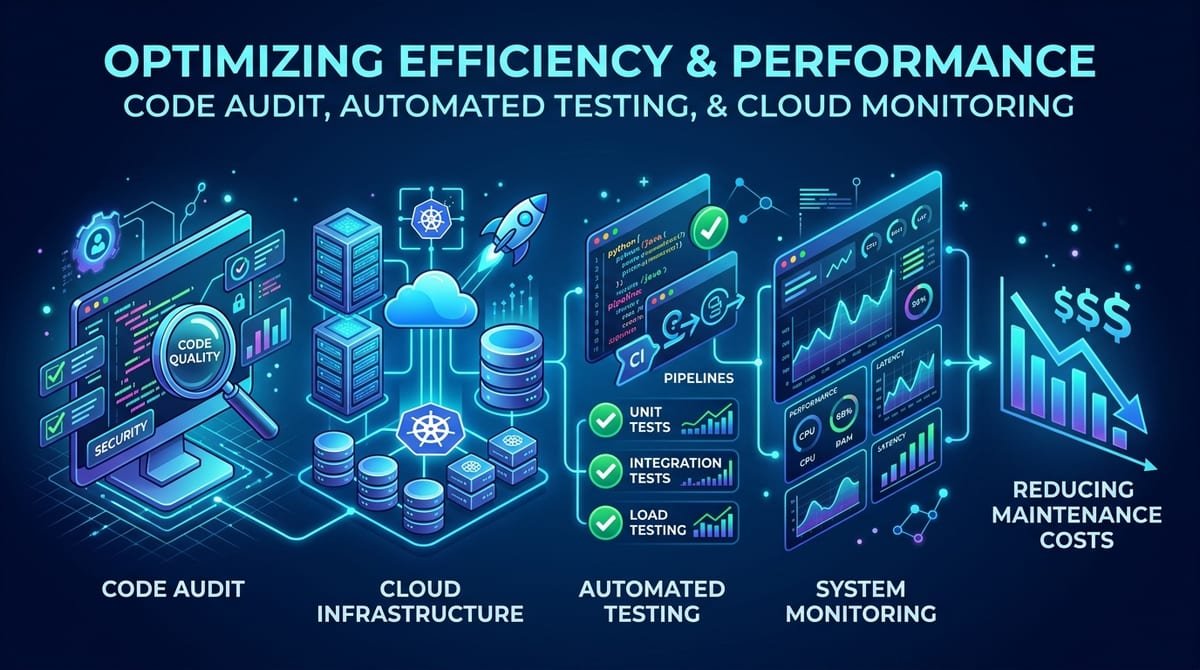
Many businesses invest heavily in software development but later face an unexpected problem: the cost of maintaining the software keeps increasing.
Small changes take too long. Bugs appear after every update. Integrations stop working. Employees depend on manual workarounds, and developers spend more time fixing old issues than building new features.
For many companies, the immediate reaction is to replace the entire system. However, a complete rebuild is not always necessary.
A better approach can be to identify the actual causes of high maintenance costs and modernize the system strategically.
Why Software Maintenance Costs Increase
Software maintenance costs usually increase gradually rather than all at once.
A system may start with a clean architecture and a manageable number of features. As the business grows, new requirements, integrations, third-party tools, security updates, and custom modifications are added.
Over time, this can create several problems:
- Outdated technologies
- Complicated code
- Duplicate functionality
- Poor documentation
- Manual processes
- Unstable integrations
- Security vulnerabilities
- Lack of automated testing
- Performance problems
- Dependencies on outdated libraries
The result is a system that becomes increasingly difficult and expensive to manage.
1. Start With a Software Audit
Before replacing or modifying an existing system, businesses should understand what is actually causing the maintenance problem.
A comprehensive software audit can examine:
- Application architecture
- Code quality
- Database structure
- Third-party integrations
- Security and compliance
- Performance
- Hosting infrastructure and DevOps
- API dependencies
- Error logs
- Deployment processes
- Unused features
This helps separate critical problems from issues that simply appear inconvenient.
For example, if 70% of maintenance requests are related to one outdated module, replacing the entire platform may not be necessary. Modernizing that specific component could solve a large portion of the problem.
2. Identify High-Cost Modules
Not every part of an application creates the same maintenance burden. Businesses should track which modules generate the highest number of:
- Bug reports
- Support tickets
- Development hours
- Deployment failures
- Customer complaints
- Integration errors
Once these areas are identified, development resources can be focused where they produce the greatest operational improvement.
This approach is particularly useful for businesses using large custom web applications that have grown over several years.
3. Remove Unused Features
Old software often contains features that nobody uses anymore. These features still require:
- Security updates
- Testing
- Database support
- Documentation
- Compatibility checks
Removing unnecessary functionality can simplify the application and reduce the amount of code developers need to maintain.
Before removing a feature, businesses should verify its usage and dependencies. Some apparently unused functionality may still support another part of the system.
4. Automate Repetitive Maintenance Tasks
Manual processes can significantly increase software maintenance costs. For example, development teams may manually:
- Test common functions
- Deploy updates
- Check application health
- Generate reports
- Monitor errors
- Back up databases
- Verify integrations
Automation can reduce repetitive work and allow developers to focus on higher-value improvements.
Automated testing is particularly useful because it can detect problems before new software versions reach customers.
5. Improve Monitoring and Error Tracking
A business may lose considerable development time simply trying to discover why something stopped working.
Modern monitoring and error-tracking systems can provide information such as:
- When the problem started
- Which feature failed
- Which users were affected
- What type of error occurred
- Which application component caused the issue
This reduces troubleshooting time and makes maintenance more predictable. Instead of discovering problems after customers report them, businesses can identify many issues earlier.
6. Modernize Instead of Rebuilding Everything
One of the biggest mistakes businesses can make is assuming that old software must be completely replaced.
In many cases, incremental modernization can be more practical. For example, a company may keep its existing core system while gradually replacing:
- An outdated user interface (UI/UX)
- An old API
- A payment module
- A reporting system
- A customer portal
- A database component
This allows modernization to happen in stages rather than requiring a complete migration at once.
7. Replace Problematic Integrations
Third-party integrations can become a major source of maintenance problems.
An external service may change its API, discontinue an endpoint, introduce authentication changes, or modify its data format.
Businesses should regularly review critical integrations and determine whether they are still reliable and supported. Where appropriate, a centralized integration layer or properly documented APIs can make future changes easier to manage.
8. Maintain Proper Documentation
Poor documentation increases dependency on individual developers. When only one developer understands how a system works, even a small change can become expensive.
Good documentation should cover:
- System architecture
- Database structure
- APIs
- Deployment procedures
- Third-party services
- Authentication
- Business rules
- Critical workflows
- Troubleshooting procedures
Documentation makes it easier for new developers or dedicated development teams to understand the system and reduces the time required for routine maintenance.
9. Create a Planned Modernization Roadmap
Software modernization should not happen randomly. Businesses can create a roadmap based on:
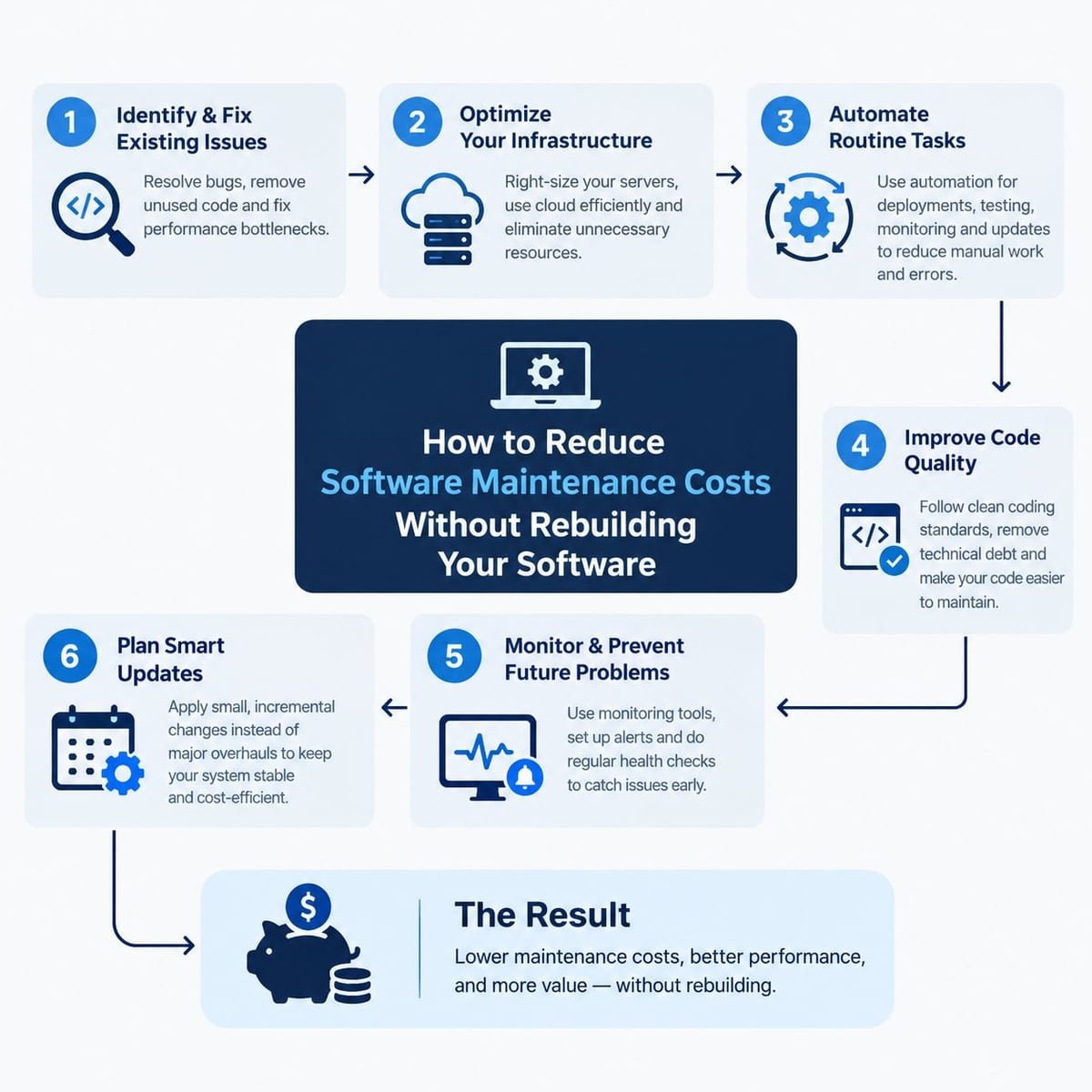
Audit → Prioritize → Fix Critical Issues → Automate → Modernize Modules → Monitor → Improve
Each stage should have a defined objective and measurable outcome.
For example, a business could first address security vulnerabilities, then improve application performance, followed by replacing a problematic integration and finally modernizing the user interface. This approach makes technology spending more predictable.
10. Know When Rebuilding Actually Makes Sense
Incremental modernization is not suitable for every situation. A complete rebuild may become necessary when:
- The architecture cannot support business requirements
- The technology is no longer supported
- Security risks are difficult to resolve
- Performance cannot be improved economically
- The system prevents necessary integrations
- Development costs consistently exceed the value of the existing platform
The decision should be based on the application's technical condition, business requirements, future growth plans, and total cost of ownership.
A Practical Approach for Businesses
Businesses facing increasing maintenance expenses can follow this simple process:
This prevents businesses from spending heavily on redevelopment before understanding the actual problem.
Conclusion
High software maintenance costs do not automatically mean that a business needs completely new software.
A detailed software audit, better monitoring, automation, improved documentation, integration updates, and targeted modernization can often address major maintenance problems while allowing the existing system to continue operating.
For businesses with growing technical requirements, the goal should not simply be to maintain old software. The goal should be to create a more maintainable, secure, scalable, and cost-efficient technology environment.
Mithila Softech can help businesses evaluate existing software, identify technical bottlenecks, modernize applications, and develop customized technology solutions aligned with their operational requirements. Contact our engineering team today to schedule a software audit and reduce your ongoing maintenance overhead.
Frequently Asked Questions
1. What are software maintenance costs?
Software maintenance costs are the expenses involved in keeping an application functional, secure, updated, and compatible with changing business and technology requirements. They can include bug fixing, updates, security patches, infrastructure, monitoring, integrations, and ongoing development.
2. How can businesses reduce software maintenance costs?
Businesses can reduce maintenance costs by auditing their software, removing unused features, automating repetitive processes, improving documentation, monitoring application performance, updating outdated components, and modernizing high-cost modules.
3. Is software modernization better than rebuilding an application?
It depends on the condition and requirements of the application. Modernization can allow businesses to improve specific components without replacing the entire system, while a complete rebuild may be appropriate when the existing architecture can no longer support business requirements.
4. How does automation reduce software maintenance expenses?
Automation can reduce manual development and operational work. Automated testing, deployment, monitoring, backups, and error detection can save developer time and help identify problems earlier.
5. When should a business consider custom software development?
A business may consider custom software development when existing solutions cannot efficiently support its workflows, integrations, security requirements, scalability needs, or specific operational processes. A technical assessment can help determine whether customization, modernization, or new development is the most suitable approach.