
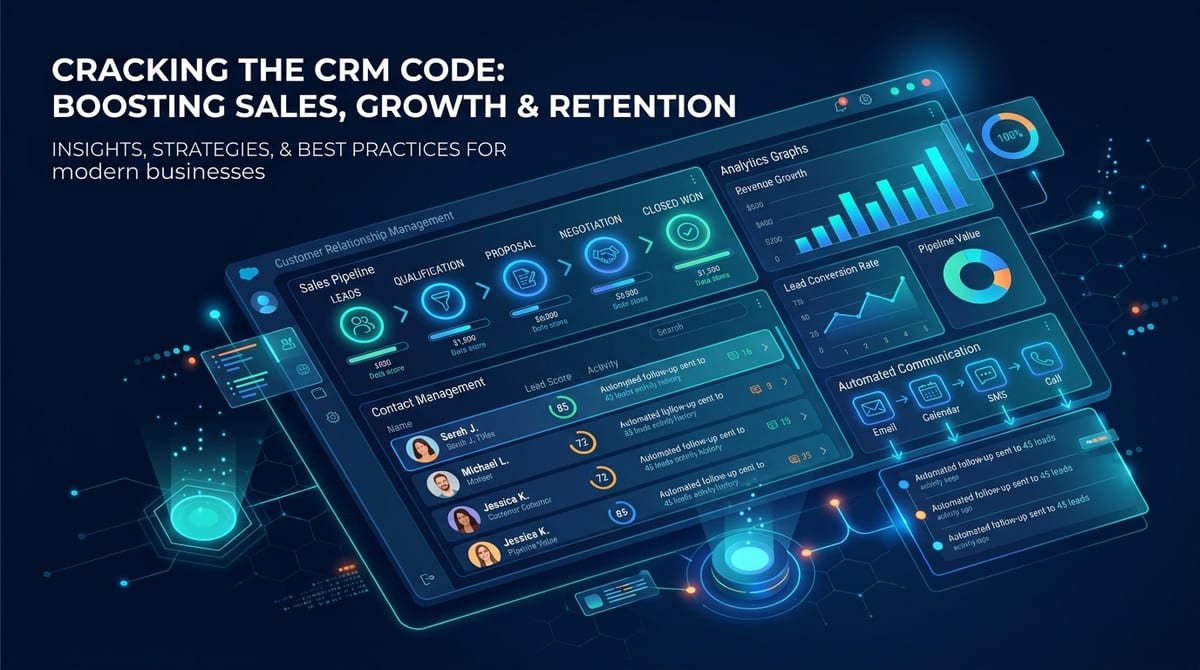
As a business grows, managing customers through spreadsheets, emails, messaging apps, and separate systems can quickly become difficult. Sales teams may lose track of follow-ups, customer information can become scattered, and managers may struggle to understand which leads are progressing toward a sale.
This is where CRM software can make a practical difference.
A Customer Relationship Management system brings customer information, sales activities, communication, follow-ups, and reporting into a centralized platform. However, choosing a CRM simply because it has many features does not guarantee that it will solve your business problems.
The right approach is to first understand your workflow and then select or develop a CRM around those requirements.
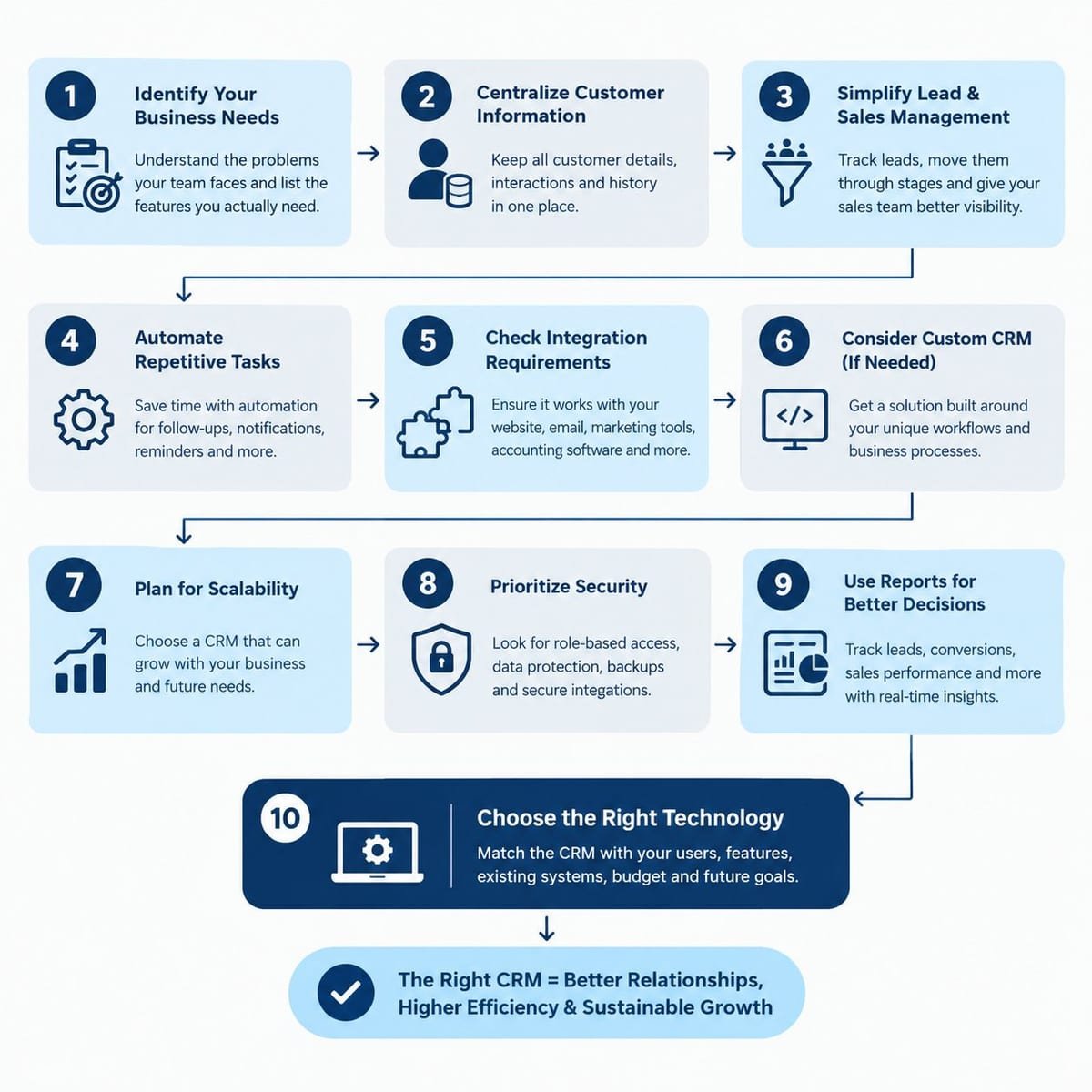
1. Identify the Problems Your Business Needs to Solve
Before comparing CRM platforms, list the problems your team currently faces. For example:
- Leads are recorded in multiple places.
- Salespeople forget follow-ups.
- Customer information is difficult to find.
- Managers cannot easily track sales pipelines.
- Reports require manual data collection.
- Repetitive administrative tasks consume employee time.
- Marketing and sales teams work with different customer data.
This helps you identify which CRM features are actually necessary.
2. Look for Centralized Customer Information
A CRM should provide one organized location for important customer information. Depending on your business, this can include:
- Customer names and contact details
- Lead sources
- Previous conversations
- Purchase history
- Sales activities
- Follow-up dates
- Notes
- Documents
- Assigned sales representatives
- Customer status
Having this information in one system reduces the need to search through multiple spreadsheets, emails, or applications.
3. Make Lead and Sales Management Easier
For businesses that generate regular enquiries, lead management is one of the most important CRM functions.
A useful CRM can allow teams to move leads through stages such as:
This gives sales managers a clearer view of the pipeline and helps employees understand which actions need attention.
The CRM should also make it easy to assign leads to specific team members and record every important interaction.
4. Automate Repetitive Work
CRM software becomes more valuable when it reduces manual work. For example, businesses can automate activities such as:
- Follow-up reminders
- Lead assignment
- Email notifications
- Customer status updates
- Task creation
- Sales alerts
- Appointment reminders
- Basic reporting
Automation does not mean removing human interaction. Instead, it allows employees to spend more time on customer conversations and important business activities.
5. Check Integration Requirements
Your CRM should work with the other systems your business already uses. Depending on your requirements, integrations may include:
- Websites and landing pages
- Contact forms
- Email platforms
- Payment gateways
- Accounting software
- Marketing platforms
- Communication tools
- E-commerce systems
- Business APIs
- Analytics platforms
For example, a website enquiry could automatically create a new lead inside the CRM rather than requiring an employee to enter the information manually.
6. Consider Custom CRM Software When Standard Tools Are Not Enough
Ready-made CRM platforms can work well for businesses with common sales and customer-management requirements. However, some organizations have specialized workflows that standard software cannot handle efficiently.
A custom CRM software solution can be developed around the company's actual processes.
For example, a business may require:
- Industry-specific customer workflows
- Custom approval systems
- Specialized dashboards
- Unique sales stages
- Customer portals
- Internal employee roles
- Custom API integrations
- Automated business processes
- Advanced reporting
Custom CRM development can therefore be considered when adapting business processes to an existing platform creates unnecessary complexity.
7. Think About Scalability
Your CRM should support the business beyond its current requirements. Consider questions such as:
- Will the number of users increase?
- Will you add new sales teams?
- Will you expand into new locations?
- Will customer data grow significantly?
- Will you need additional integrations?
- Will customers eventually need access to a portal?
Planning for these requirements early can reduce the need for major system changes later.
8. Security and Access Control Matter
CRM systems contain valuable business information, so data security should be considered during selection or development.
Businesses should evaluate features such as:
- User permissions
- Role-based access
- Secure authentication
- Data backups
- Activity tracking
- Secure integrations
- Data protection procedures
Different employees may not need access to every type of customer or business information. Role-based permissions can help control what each user can view or modify.
9. Use Reports to Make Better Business Decisions
A CRM should not only store information. It should help businesses understand what is happening.
Useful reports can include:
- Number of new leads
- Lead sources
- Conversion rates
- Sales pipeline value
- Follow-up activity
- Sales performance
- Lost opportunities
- Customer activity
- Revenue trends
These insights can help management identify bottlenecks and discover why websites get traffic but no leads, determining where improvements are required.
10. Choose Technology Based on Business Requirements
There is no single CRM architecture that works for every organization. The appropriate technology depends on factors such as:
- Number of users
- Required features
- Existing systems
- Integration requirements
- Security needs
- Expected data volume
- Budget
- Future expansion
This is why businesses should define requirements before deciding whether they need an existing CRM platform, customization, or a completely custom CRM software solution.
How Mithila Softech Can Help
Mithila Softech provides software development and digital solutions designed around business requirements. Its services include custom software development, web applications, dashboards, and technology solutions that can be adapted to specific operational needs.
For businesses that need more than a basic CRM, a customized system can connect customer management with websites, internal workflows, reporting, APIs, and other business processes.
The objective should not simply be to purchase software. The objective should be to create a system that makes everyday business operations more organized and measurable.
Conclusion
Choosing CRM software should begin with your business problems rather than a long list of features.
A suitable CRM can centralize customer information, organize sales pipelines, automate repetitive activities, improve follow-ups, connect different business systems, and provide useful reporting.
For businesses with highly specific workflows, custom CRM software can provide greater flexibility because the system can be designed around existing processes instead of forcing employees to completely change how they work.
Before investing in a CRM solution, clearly define your requirements, integration needs, security expectations, user roles, and future growth plans. This creates a stronger foundation for selecting or developing a CRM that can support your business over the long term. Contact Mithila Softech today for a consultation on building or customizing the ideal CRM for your business.
Frequently Asked Questions
1. What is CRM software?
CRM software is a system used to manage customer information, leads, sales activities, communications, follow-ups, and related business processes from a centralized platform.
2. What are the main benefits of CRM software for businesses?
CRM software can help businesses organize customer data, track leads, manage follow-ups, automate repetitive tasks, monitor sales pipelines, and generate business reports.
3. When should a business consider custom CRM software?
A business may consider custom CRM software when it has specialized workflows, unique reporting requirements, complex integrations, or operational processes that standard CRM platforms cannot handle efficiently.
4. Can CRM software integrate with a business website?
Yes. CRM systems can integrate with websites through forms, APIs, plugins, or custom development. Website enquiries can potentially be transferred directly into the CRM for automated lead management.
5. How can a CRM improve sales management?
A CRM can organize leads into sales stages, assign responsibilities, schedule follow-ups, record customer interactions, and provide pipeline reports. This gives sales teams better visibility into their ongoing opportunities and boosts conversion rates.